Reset Your Password
-
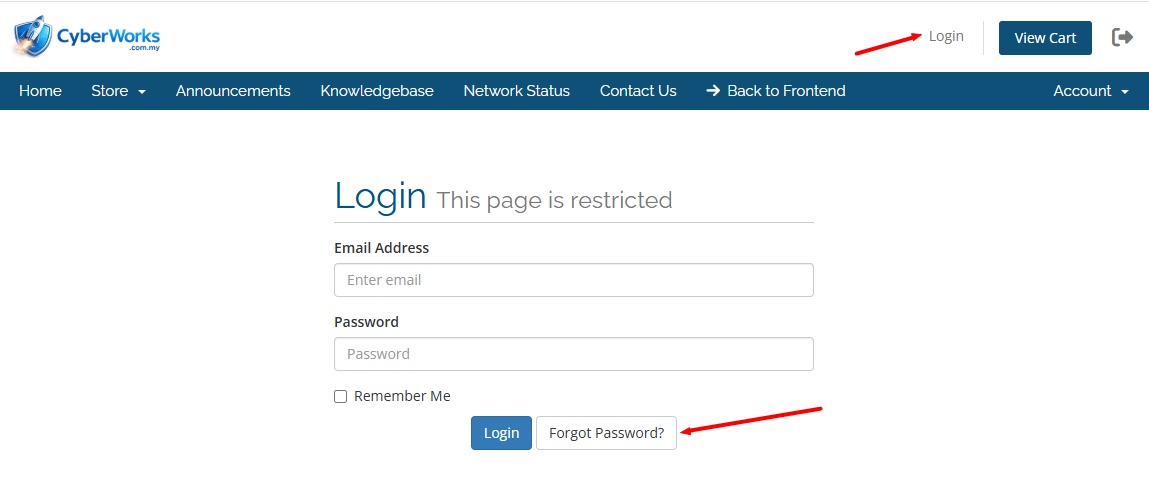
Go to the Client Area Login Page.
-
Click on “Forgot Password?”
-
Enter the email address used during your service registration.
-
Click Submit.
-
Check your email inbox for a password reset link.
-
Click the link and create a new password.
The reset link will expire automatically for security reasons.
If it expires, simply repeat the process.
Didn’t Receive the Reset Email?
Please check the following:
-
Spam / Junk folder
-
Make sure the email address entered is correct
-
Ensure your mailbox is not full
If you still do not receive the reset email, please contact our support team for assistance.
Security Notice
For security reasons:
-
We do not store or send plain-text passwords.
-
Our team cannot view your existing password.
-
Password reset can only be completed via the secure email verification link.